
Americans spend an average of 2.5 days per year looking for lost items, according to the most-cited survey on the subject, by Pixie. That's 60 hours a year opening bins, checking shelves, and digging through boxes you labeled three years ago with a Sharpie that said "misc."
If you've ever stood in your garage trying to remember which of 20 identical totes has the holiday lights, this is for you. I'll walk through a system for tracking bin contents using QR code labels and a free inventory app. The whole setup takes about 30 minutes.
Key takeaways
- Americans lose roughly 2.5 days a year searching for misplaced items
- Handwritten bin labels stop being accurate the moment you reorganize
- QR stickers link to a live, searchable inventory you update from your phone
- AI photo recognition catalogs bin contents without manual typing
- OpenBin is free and open source
Why aren't handwritten labels enough?
Handwritten labels are the default. Buy some clear totes, stick a label on each one, stack them on a shelf, and feel organized for about three weeks.
Then you pull out the extension cords for a project and put them back in a different bin. The label on the original bin still says "extension cords." The new bin says "tools — misc." Neither label is accurate anymore. You won't notice until next time you need an extension cord and check two wrong bins first.
Labels are static. Your stuff moves. That's the whole problem.
A CRAFTSMAN survey found that 62% of Americans say the garage is the most cluttered space in their home, and 36% can't park their car inside because of it. Most of those garages have labeled bins. The labels just don't match what's inside.
Spreadsheets are the next thing people try. They work right up until someone reorganizes a shelf without updating the file. Then you've got a perfectly formatted Google Sheet describing a layout from six months ago.
The failure mode is always the same: the tracking system falls out of sync because updating it takes more effort than anyone will actually spend.
How do people track bin contents today?
There are roughly four approaches, in order of how much they ask from you:
| Method | Searchable | Photos | Multi-user | Stays current | Cost |
|---|---|---|---|---|---|
| Handwritten labels | No | No | Sort of | No | Free |
| Spreadsheet | Yes | Awkward | With sharing | Rarely | Free |
| Generic QR generator | Scan only | No | No | Manual | Free–$20 |
| Inventory app with QR | Yes | Yes | Yes | Yes | Free–$30/qtr |
Handwritten labels work for five bins. Past that, you're relying on memory.
Spreadsheets add searchability but nobody opens one to log that they moved a single item. And if two people share the same garage, whoever doesn't own the spreadsheet won't check it.
Generic QR generators like QR Tiger or Scanova let you encode a URL or text snippet into a QR code. Scan the code, see a note. But there's no search across all your bins, no photos, no sharing. You create each code individually. Every article about "QR codes for storage" recommends this, and it's tedious enough that most people stop after five bins.
An inventory app gives you search, photos, multi-user access, and QR labels that open each bin's page directly. The label stays put. The contents update whenever you update them. For a full breakdown of the available apps in this category, see 7 apps for tracking what's in your storage bins, compared.
How do QR code labels work for storage?
Stick a QR code sticker on a bin. When anyone in your household scans it with their phone camera, they see that bin's contents: items, photos, tags, which shelf it's on.
Over 100 million US smartphone users scanned a QR code in 2025. If you've scanned a restaurant menu, you already know the motion. Same gesture, different destination.
Here's what makes this worth the effort: the label is permanent, but the inventory is live. Move the holiday lights from Bin 7 to Bin 12, update Bin 12 in the app, and the QR sticker on Bin 12 now shows the lights. No reprinting. No relabeling.
This also means you can use opaque bins instead of clear ones. You don't need to see through the plastic if scanning a sticker tells you everything inside. Opaque totes are usually cheaper, stack better, and look cleaner on a shelf. For a breakdown of bin types and what to buy — snap-lid, latching, gasket-sealed, HDPE — see the storage bin field guide.
One more thing: QR beats other machine-readable labels for home use. NFC tags cost more per unit and not all phones read them reliably. Barcodes need a dedicated scanning app. A QR code works with the default camera on any phone made in the last six years.
How do you set up a QR bin inventory in 30 minutes?
I'll use OpenBin for this walkthrough since I built it and it's free. The general approach works with any inventory app that supports QR labels.
Create an account. Sign up at openbin.app, or self-host with Docker. It's one container. It runs on a Raspberry Pi.
Add a location and areas. A location is your house. Areas are zones within it: garage left wall, attic, basement shelving, hall closet. Think about how you'd give someone directions. "It's in the garage, left wall, second shelf" maps directly to a location, area, and bin.
Create bins. Each bin in the app maps to a physical container. Name it something descriptive ("Holiday — lights and tree") or keep it simple ("Garage Bin 14"). Add items to the bin, or let the AI handle that in the next step.
Photograph the contents. Open a bin, snap a photo with your phone. OpenBin's AI photo recognition identifies items in the picture and adds them automatically. You review, fix anything it missed, and save. This is optional. You can always type items manually.
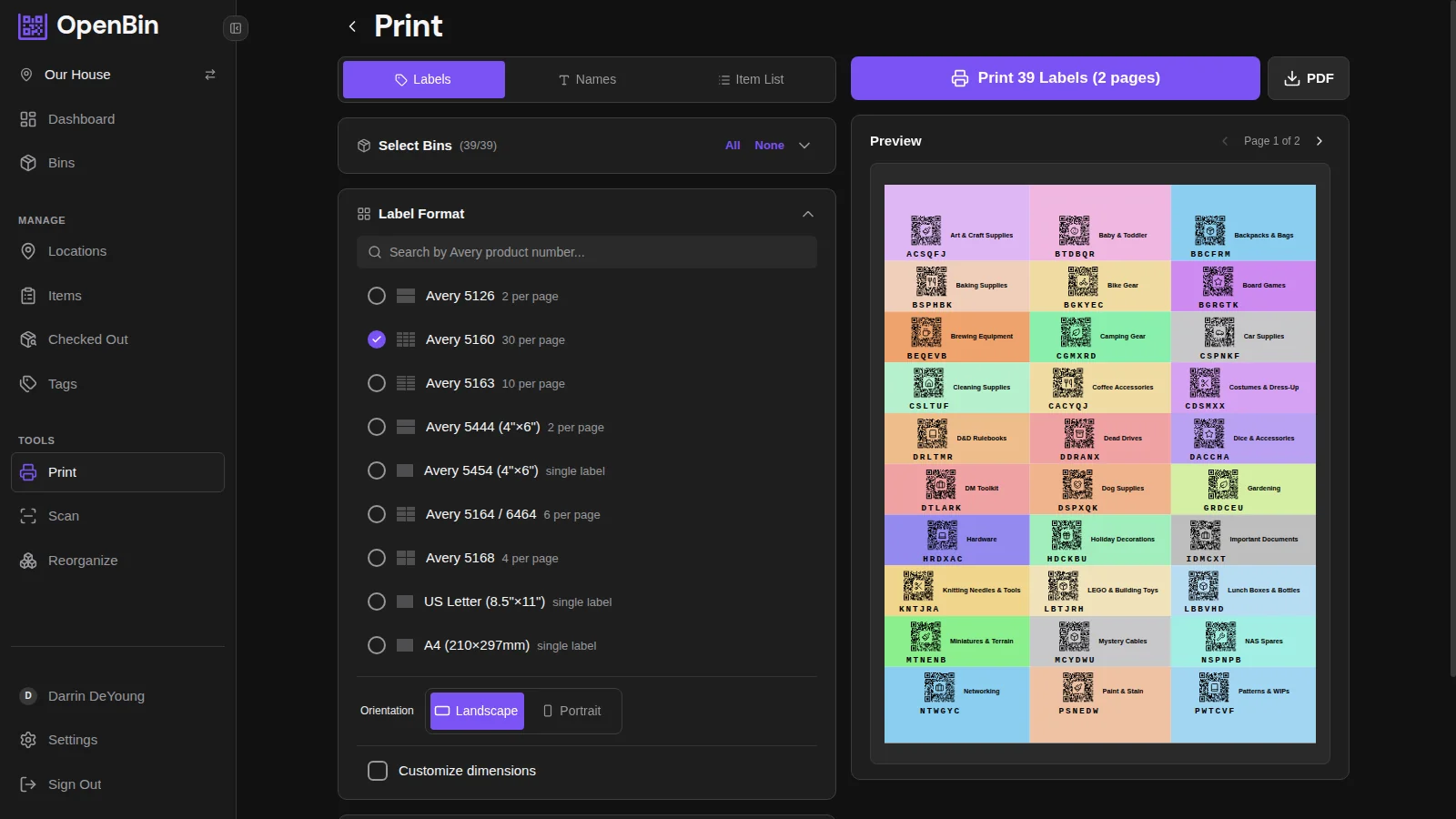
Print QR labels. Generate a sheet of QR codes from the label printing screen. Pick a standard label size (Avery-compatible) or go custom. Print on any label paper, peel, stick one on each bin. Total cost for labels: whatever the paper costs. A sheet of Avery 5160 labels is about $0.03 per sticker.
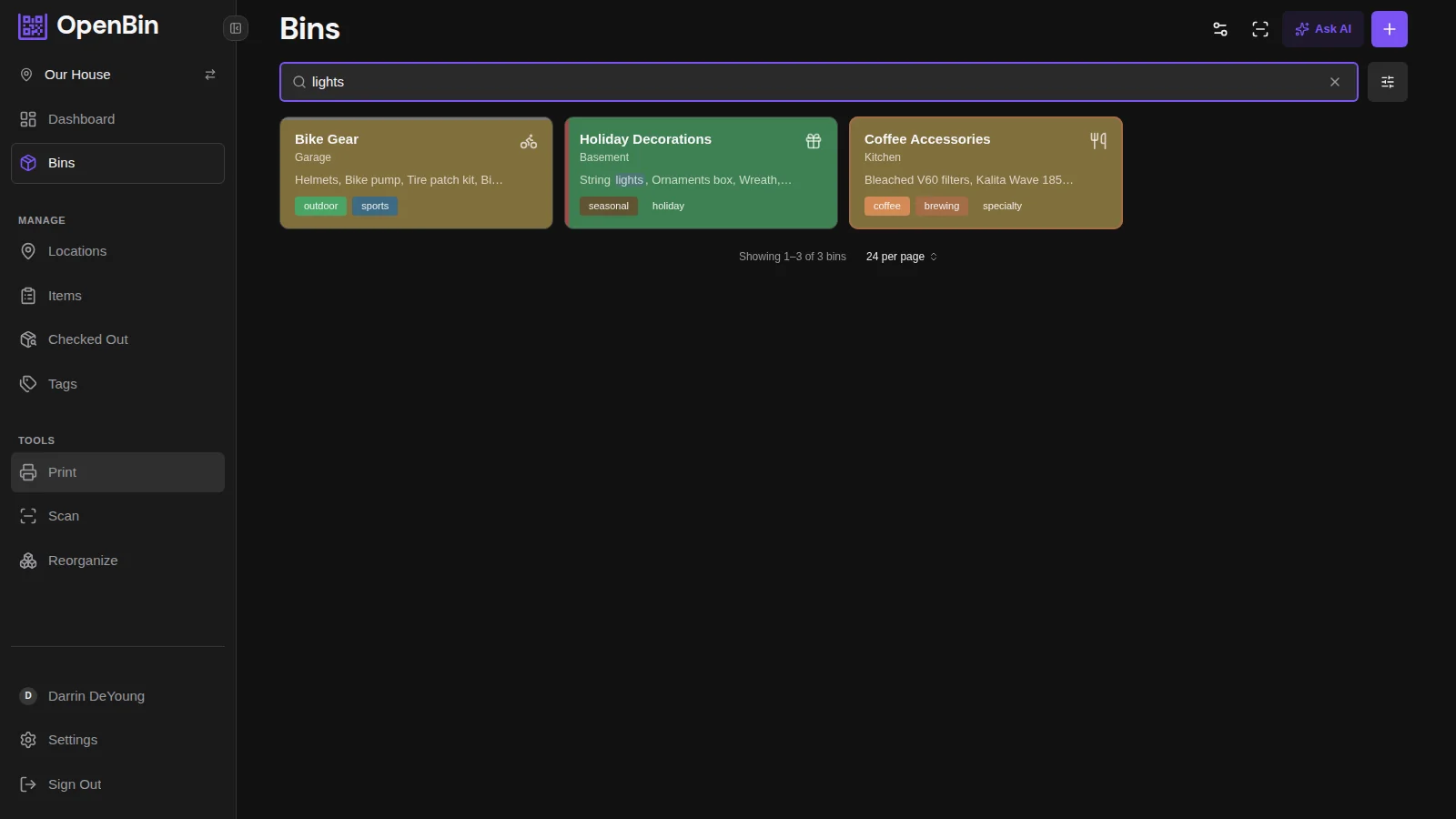
Search for anything. Type "extension cord" into the search bar and get "Garage Bin 7, Tools shelf." That's the whole point of doing this.
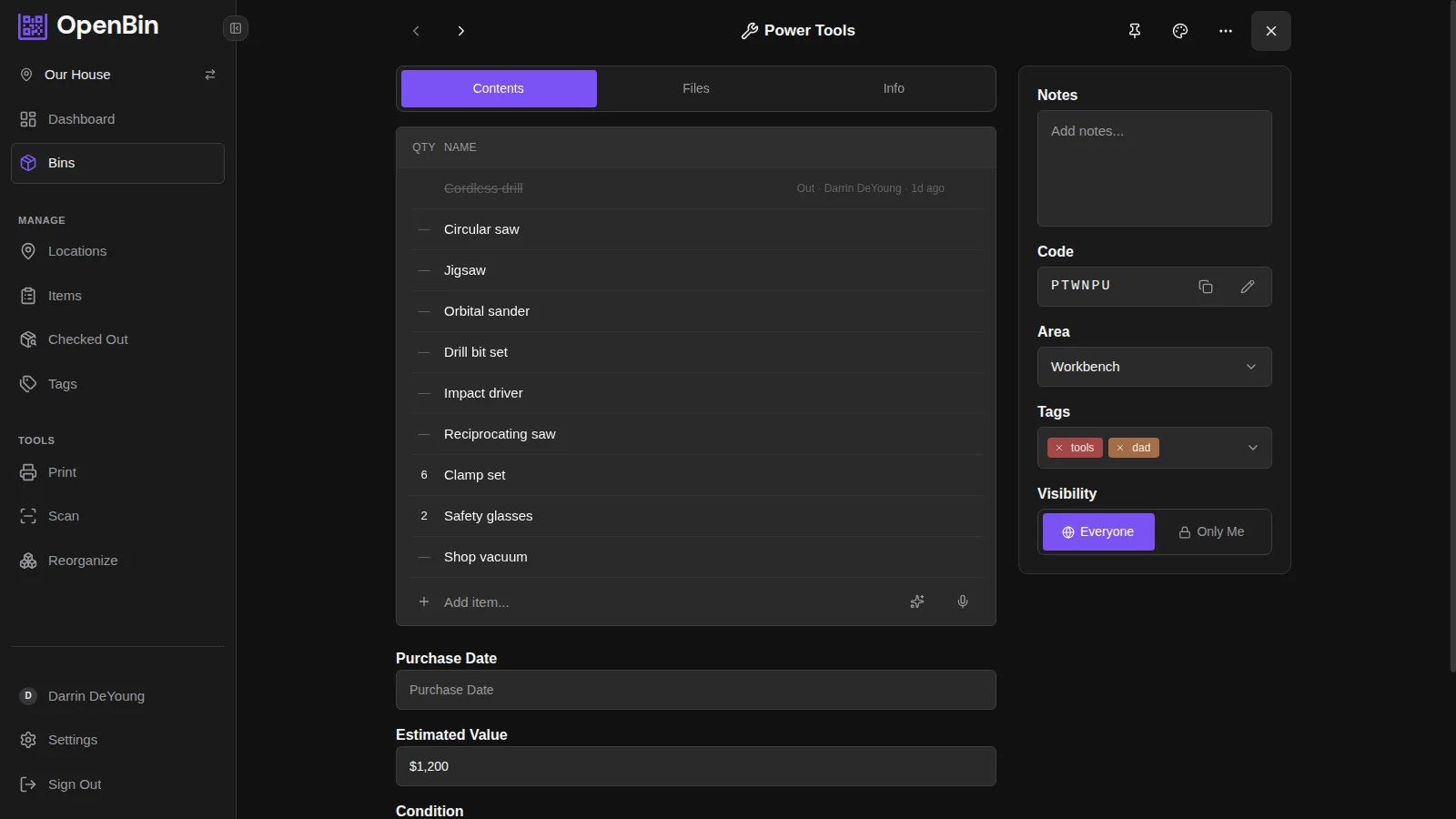
Fifteen to twenty bins takes about 30 minutes. Most of the time goes to opening each bin and photographing contents. If your bins are already somewhat organized, you can batch this: open, photograph, close, next.
Let AI handle the tedious part
The number one reason people abandon home inventory projects is data entry. Typing out "string lights, ornament box, tree skirt, wreath, garland, spare bulbs" for a single bin gets old. Do it for 20 bins and you've lost an afternoon.
Photo recognition changes the math. Open a bin, point your phone at the contents, and the AI lists what it sees. A bin that would take five minutes to catalog manually takes 30 seconds to photograph and confirm.
OpenBin works with OpenAI, Anthropic, and Google Gemini. Self-hosters bring their own API key. Cloud users get AI included in their plan.
It's not going to be perfect every time. The AI can only identify what it can clearly see, so items buried under other items or hidden in corners will get missed.
For fuller bins, shift things around and take a second or third photo from different angles. Each photo adds to the item list, so more photos means better coverage. You can edit anything after, so most bins end up as a review of a mostly-correct list rather than a list you build from scratch.
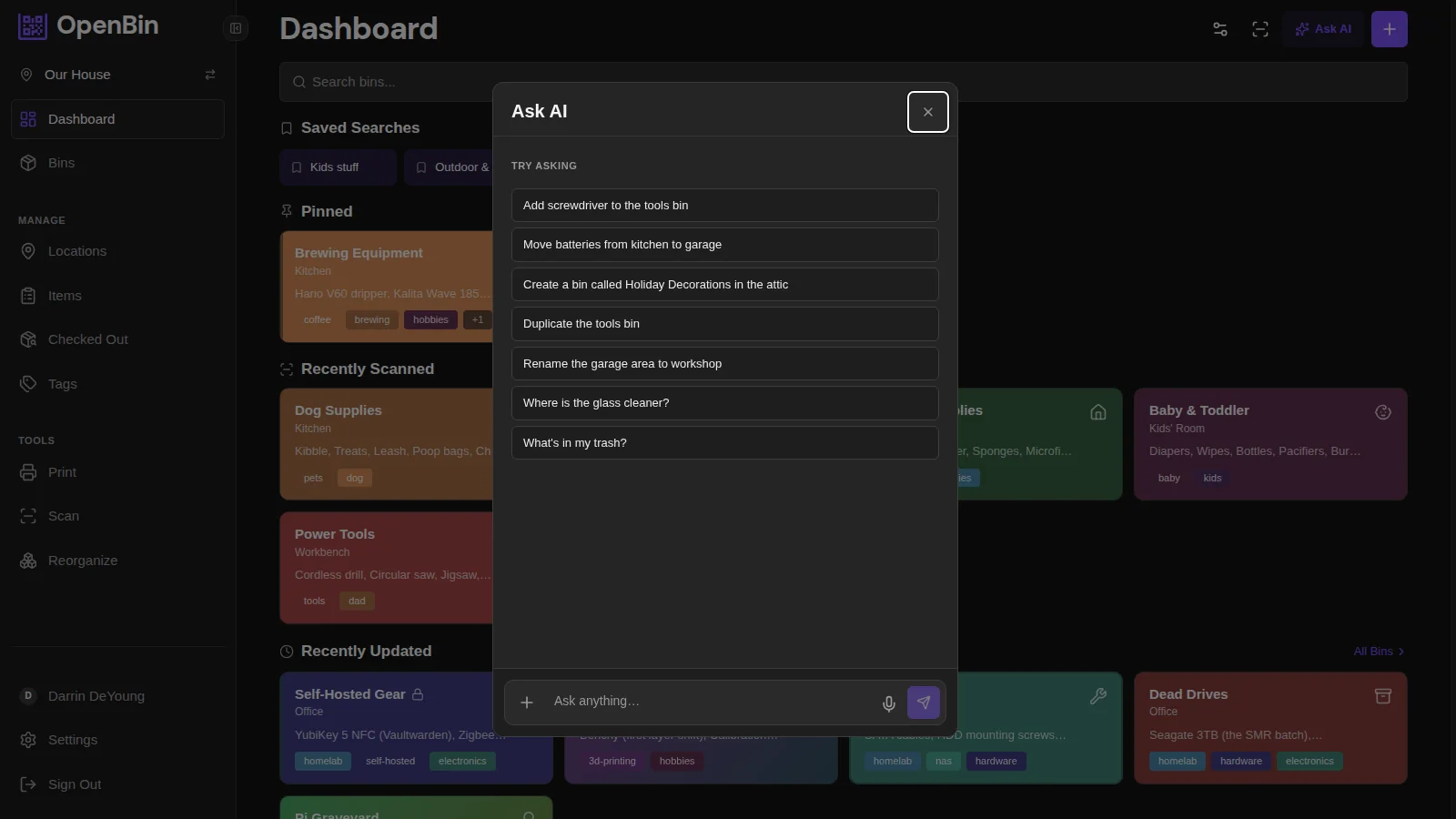
You can also skip the camera entirely and use text commands. "Add batteries to the tools bin" or "move the camping stove to outdoor gear." The AI assistant processes plain language.
Stop fielding "where did you put the...?" texts
If you share a home with anyone, you know the message. "Where's the camping gear?" "Which box has the extra towels?" "I need the drill."
A spreadsheet that only one person maintains doesn't fix this. Everyone needs access. OpenBin supports multiple users per location with invite codes and three permission levels: admin, member, and viewer. Your partner can search the inventory from their own phone. Your kid can check which bin has the camping stove before a trip. Nobody texts you.
Here's a side benefit you might not think about: fewer than half of homeowners have a home inventory for insurance purposes. A searchable bin inventory with photos doubles as one. If something gets stolen or damaged, you have a photographic record of what you own. You can export everything as CSV or JSON at any time.
Frequently asked questions
Is OpenBin free?
Yes. There's a free cloud tier and a self-hosted option that costs nothing. The source code is open (AGPL-3.0) on GitHub.
Do I need special QR stickers?
No. Print on any label paper: Avery sheets, a label maker, or blank sticker paper with a regular inkjet printer. OpenBin generates printable PDF sheets sized for standard label stock.
What if I don't want to use the AI?
Skip it. You can type item names manually. The AI photo recognition just makes data entry faster.
Can I export my data?
Full CSV and JSON export, one click. Your inventory isn't locked in.
How many bins can I track?
No hard limit on the self-hosted version. Cloud plans have tier-based limits. The free tier handles most households without issue.
Specific use cases
The setup above is general — it works for anything you put in a bin. If you want a walkthrough for a specific kind of stuff:
- Holiday decorations — an eleven-month gap between packing and unpacking is the hardest storage problem labels face. See how to organize Christmas decorations so you actually find them next year.
- Craft supplies — yarn, fabric, beads, and notions accumulate faster than any label can describe. See how to organize craft supplies when you have way too many.
- Board games — expansions and overflow bins make "which box has what" hard even for careful collectors. See how to organize a board game collection that's outgrown the shelf.
- Self-storage units — at $119/month, the average off-site rental tops $1,600 across a 14-month tenure. See how to keep track of what's in your self storage unit.
You probably don't need more storage space
The U.S. self-storage industry is a $45 billion market. Roughly 1 in 10 US households rents a self-storage unit. Some of that is genuine space constraints, but some of it is people buying duplicates of things they already own because they can't find the original.
A QR sticker on every bin, linked to a searchable inventory, fixes the finding problem. It won't declutter your garage for you. But once you do organize, the organization sticks. The system updates when things move. Everyone in the household can use it. Each scan also registers as a usage signal, so you can see which bins actually get opened and which have been sitting untouched for a year — see how QR scans become an activity heatmap. And six months later, you'll still know exactly where the holiday lights are.
Sign up free at openbin.app. Takes about 30 seconds.