
Activity Log
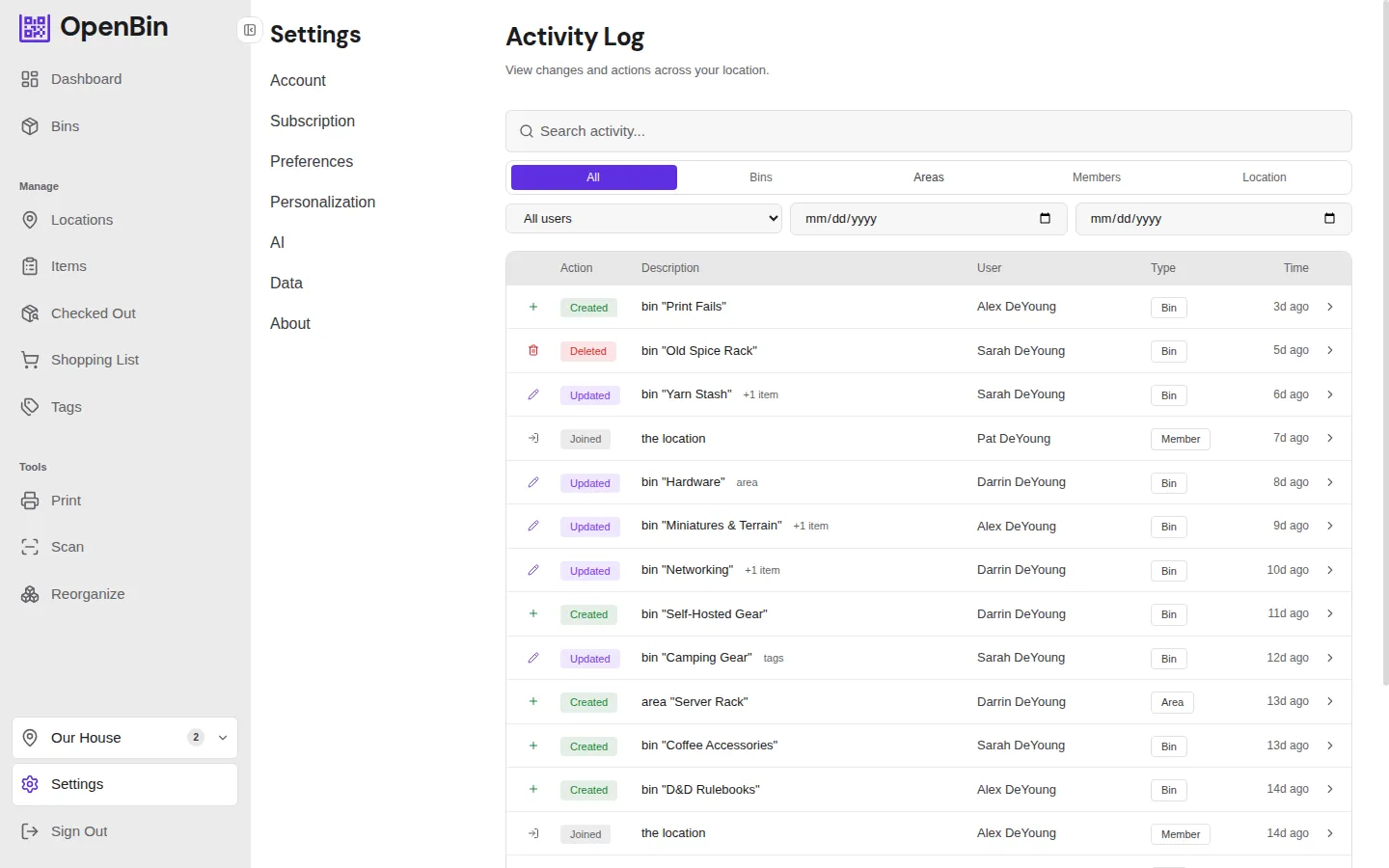
The activity log records every change made in a location — who did what and when. It is available to admins from Location Settings → Activity Log.
What it tracks
The following actions are logged:
| Entity | Actions |
|---|---|
| Bins | Created, updated, deleted, restored, permanently deleted, moved between locations |
| Photos | Added to bin, deleted from bin |
| Areas | Created, renamed, deleted |
| Members | Joined, left, removed, role changed |
| Location | Settings updated, invite code regenerated |
Each entry shows the user who performed the action, the entity affected, a timestamp, and an action badge.
Filtering
The filter bar has four controls:
By entity type
A segmented control at the top filters to a specific category:
- All — everything
- Bins — bin create, edit, delete, move, and photo operations
- Areas — area create, rename, delete
- Members — joins, leaves, removals, role changes
- Location — location settings changes and invite regeneration
By user
Select a specific member from the dropdown to see only their actions.
By date range
Set a start date, end date, or both to limit results to a time window.
By text search
Type in the search bar to filter by user name, entity name, or action description. This search runs client-side on the loaded results.
On mobile, the user and date filters are collapsed behind a Filters disclosure to save space.
Change details
For bin updates, each entry can show what changed — field-by-field diffs including items added, items removed, items renamed, and changes to name, notes, tags, icon, color, visibility, area, or card style.
Retention
Activity log entries are automatically purged after a configurable number of days. Admins set the retention period in Location Settings. See Trash and Retention for details.