
Account & Profile
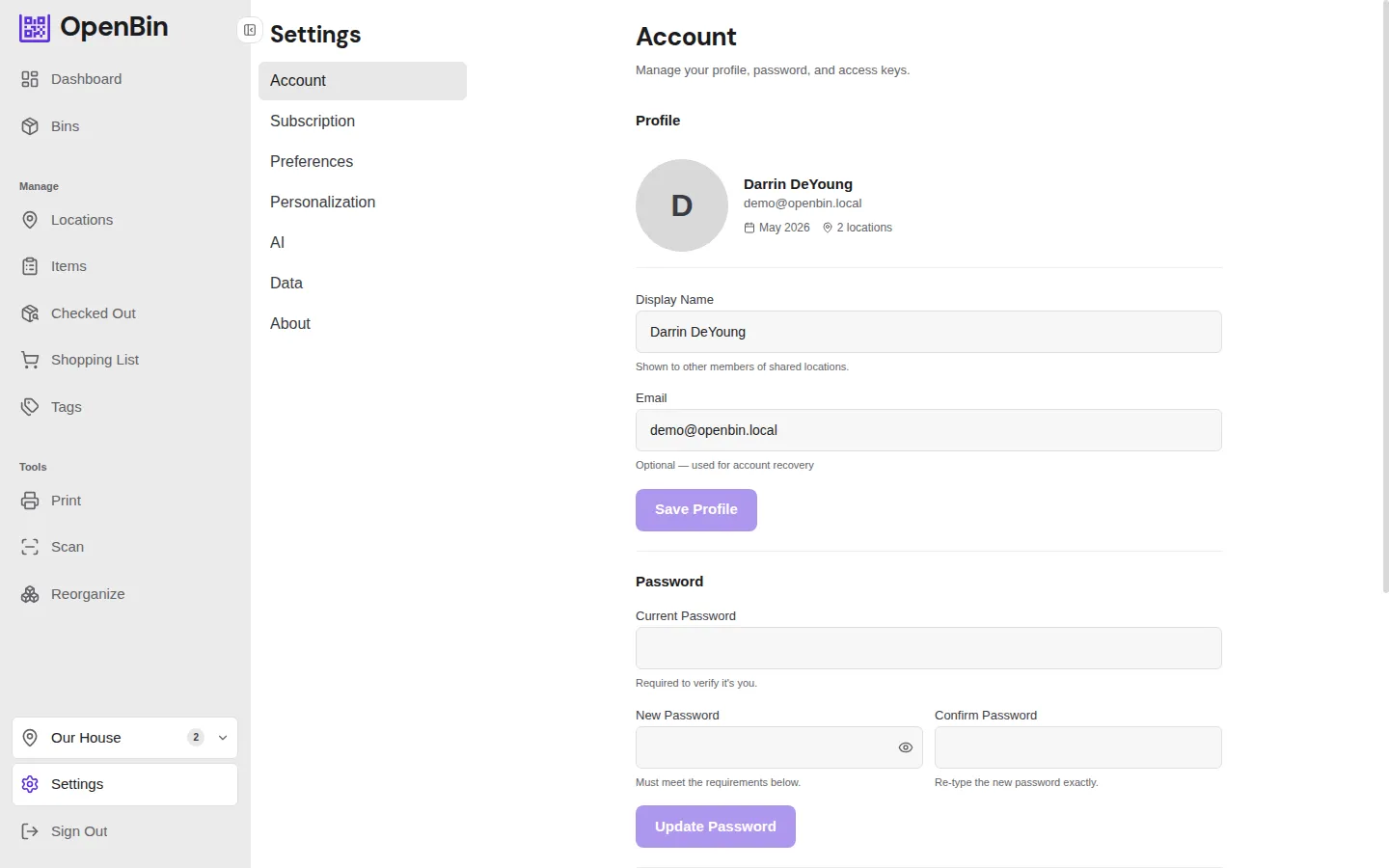
Account settings live at Settings → Account in the sidebar. (Theme, language, dashboard layout, and other display options live under Settings → Preferences instead.)
Display name and email
- Display name is shown to other members of your locations.
- Email is optional and used for password recovery and (on the cloud product) account notifications. It is never displayed to other members.
Avatar
Upload an avatar image:
- Formats: JPEG, PNG, or WebP
- Max size: 2 MB
You can also remove the avatar to fall back to the default initials.
Password
Change your password from Settings → Account. Requirements are enforced in the UI.
OAuth-only accounts
If you signed in with Google or Apple and never set a password, the password change form is hidden. Keep using the OAuth provider, or set a password by running through the password-reset flow with your email.
Connected Accounts
If your instance has Google or Apple OAuth configured, the Connected Accounts section lets you:
- Connect a new OAuth provider to your existing account (lets you sign in with either method).
- Disconnect a provider you no longer want to use.
You cannot disconnect the only sign-in method on your account — set a password first if you want to remove all OAuth providers.
Delete Account
Permanently delete your account and all associated data.
- Open Settings → Account.
- Scroll to Delete Account.
- If your account has a password, enter it to confirm. (OAuth-only accounts skip this step.)
- Confirm the deletion.
DANGER
Account deletion is permanent and cannot be undone.
What happens when you delete your account:
- Locations where you are the sole admin are deleted along with all their bins, photos, and member data.
- Shared locations (where other admins exist) are preserved — only your membership is removed.
- Your profile, avatar, and personal settings are permanently erased.